See every client, deadline, and bottleneck on one screen.
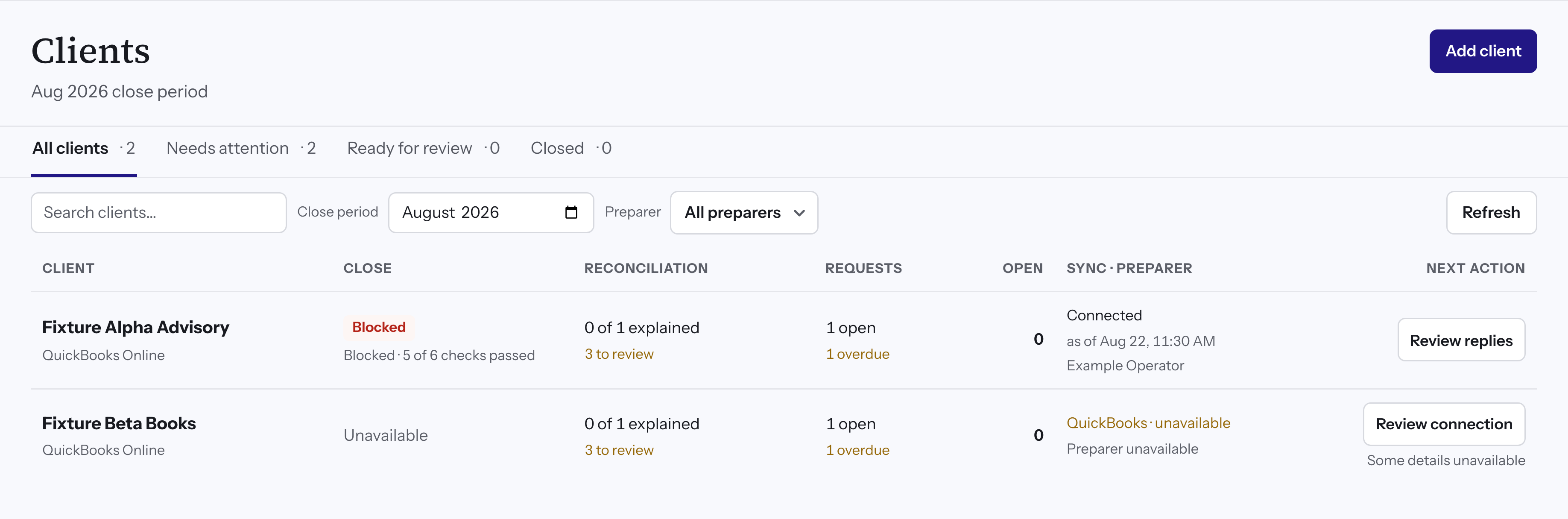
Track month-end close progress, unreconciled accounts, missing client info, and upcoming tasks across the whole firm.
Product
Find a client’s open work, review the source, and carry the decision through to its recorded result.
Firm-wide visibility
Run your firm from a high-level view, then dive into an individual client’s books without losing your place or the history behind the work.
Track month-end close progress, unreconciled accounts, missing client info, and upcoming tasks across the whole firm.
Sort client replies, close blockers, and system alerts into Mine, Firm, Waiting on client, and Completed views. Open the exact bill or message to review its source and approval requirements.
Each workspace acts as a dedicated hub for a client’s current financials, open requests, past reports, settings, and automation rules.
Evidence and communication
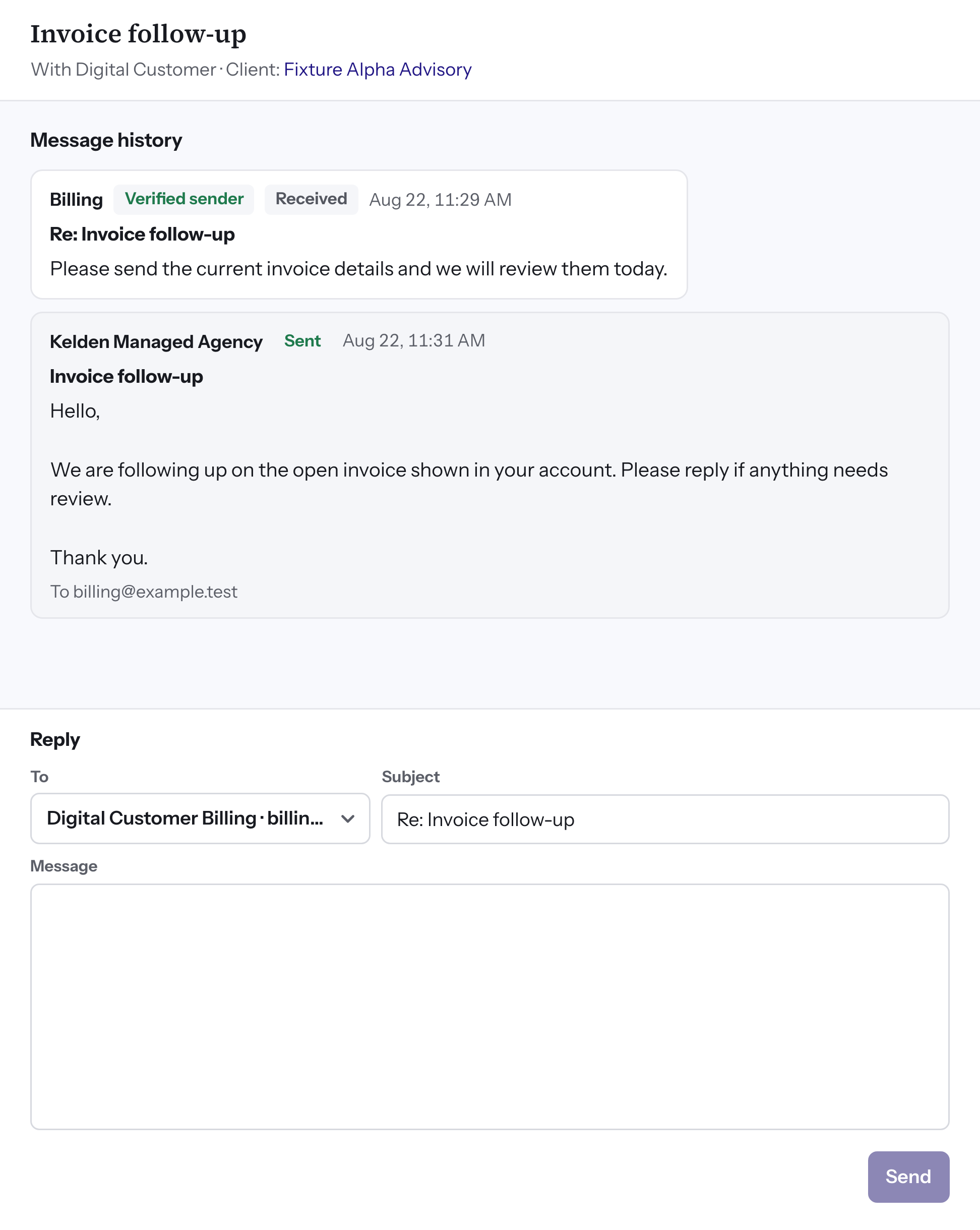
Keep the original supplier document, missing-information request and returned answer with the work your team reviews.
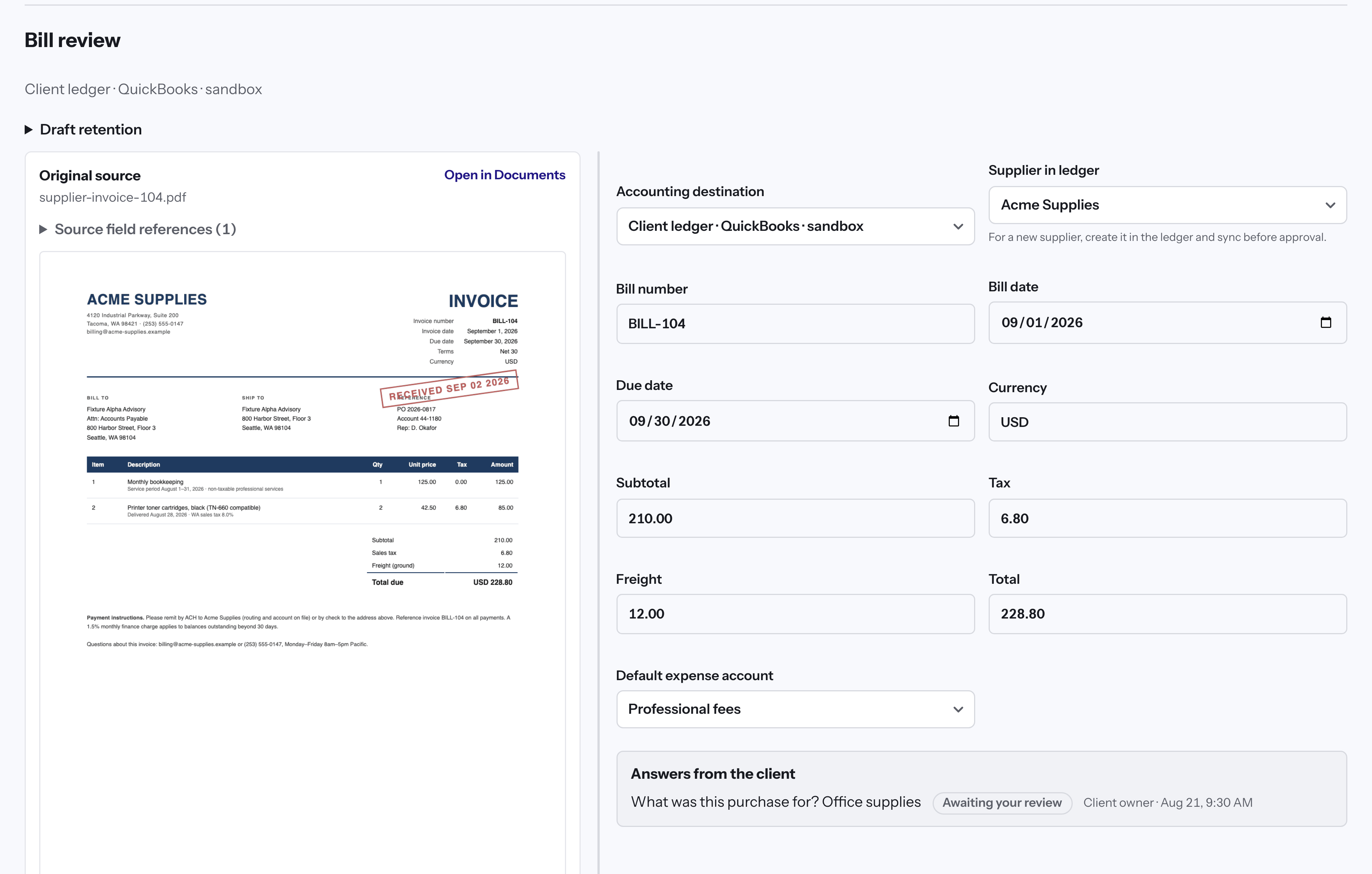
Upload PDFs, scans, or forward emails. Review extracted fields against the original pages and keep source evidence attached to the bill review.
Ask a verified client contact or trusted supplier contact through an approved email and secure, expiring response link. Review returned answers and attachments before resolving the request and correcting the bill.
Read the conversation and edit its draft reply directly below. Review the recipient and send from the same thread, with your approval recorded against the exact message.
Accounting operations
Review the source, correct the bill and approve its exact version. Kelden checks the posted bill and attachments in QuickBooks Online.
Review coding proposals with their supporting history. For supplier bills, check complete lines, supplier, account mappings and source tax amounts before they post to the ledger.
Match bank statements to the ledger side-by-side. Spot duplicates, resolve timing differences, or ask the client for clarity without ever leaving the screen.
Review open receivables, invoice follow-up and supplier bill work for the client. Keep an email approval separate from an accounting approval.
Month-end close and reporting
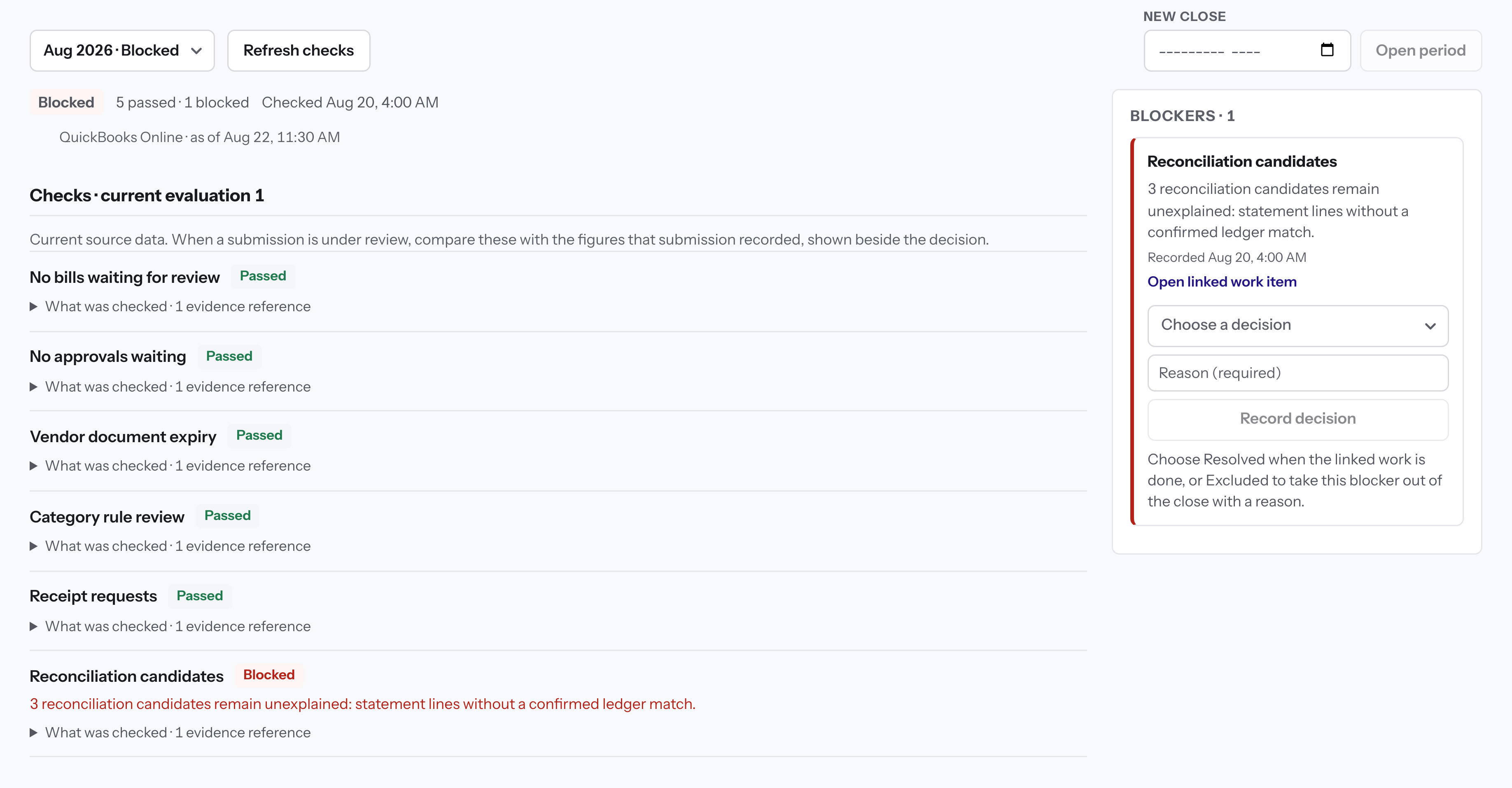
Keep existing close checklists, manager reviews and report packages connected to their source records and review history.
Use templates to track dependencies, require evidence, and clear blockers. Submit a locked snapshot of the books for manager review and final sign-off.
Prepare reports for the selected client and period using captured ledger data. Review the preserved package and download that exact version as a PDF.
Review the exact email recipient and message, or the supplier bill and its accounting destination, before approving that action.
Automation and firm controls
Confirm mailbox routing, assign preparation and review access, and inspect execution status and approval history.
Keep existing automation rules and run history visible. For document intake, preview and confirm the client routing rule before enabling it; resolve unmatched or overlapping intake explicitly.
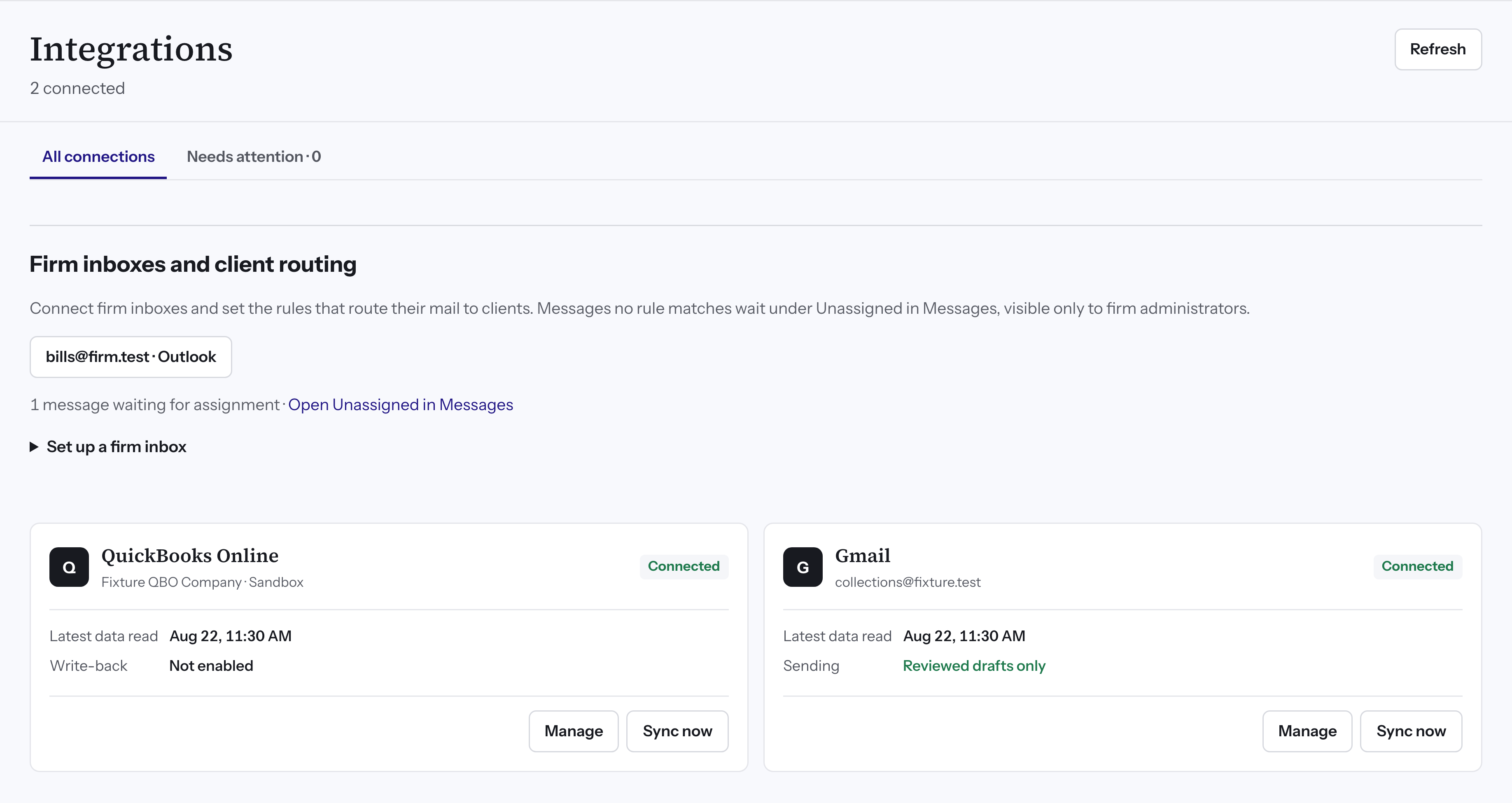
Connect QuickBooks Online and Gmail. Xero and Microsoft Outlook are coming soon. Review connection and sync state, choose the exact accounting company or mailbox, and inspect any action that needs attention.
Control who can prepare or review work. Inspect approvals, edits and messages in a searchable audit trail, and open the associated client record.
Working controls
Work across the firm, then open the selected client’s records with the access granted to your role.
Review source documents and field evidence with the proposed bill.
Approve the exact email or bill version. A returned answer does not authorize a financial change.
Queued execution, uncertain provider outcomes and verified bill completion have distinct states.
QuickBooks Online remains the system of record for your client’s books.
Connect the client’s mailbox and ledger, then work through a supplier bill with your team.